Clean a Painting Player Tips & Controls
Movement, session habits, and shared-server manners for up to 8 players.
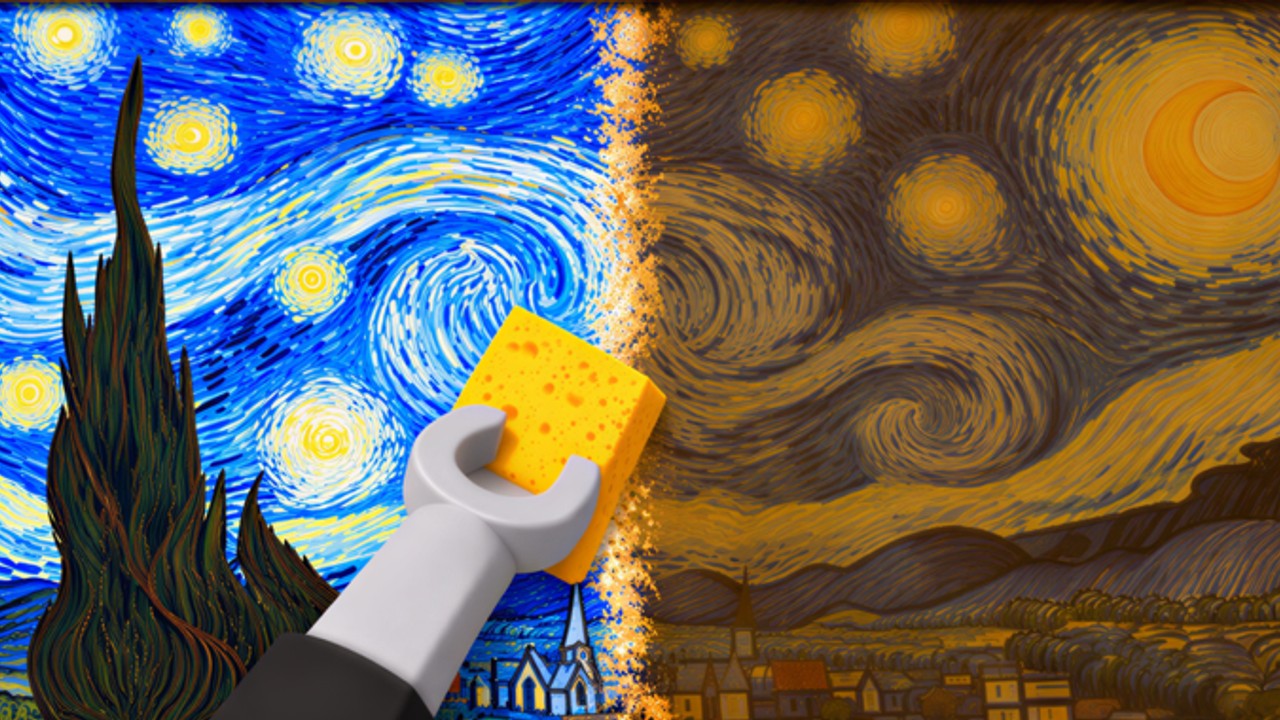
This Players Hub is the practical field manual for humans playing Clean a Painting - session design, etiquette, goals by play style, and pointers into the detailed Controls & HUD guide. It is not a character roster; the “units” in this tycoon are paintings moving through Crates, Workshop, and Gallery. Use it alongside Getting Started and Make Money Fast.
Player pages on this wiki
| Page | Best for |
|---|---|
| Controls & HUD Tips | PC / mobile inputs, HUD checklist, comfort settings |
| This hub | Session rhythm, etiquette, goals, common mistakes |
Creator: AURA NUKE. Place link and ~182k-member community live on the Links Hub.
Who this game fits
Clean a Painting suits players who like satisfying cleaning loops, light tycoon reinvestment, and short or medium sessions. You can make progress in twenty minutes if you hang something quickly, or settle in for an hour of dual-pipeline grinding. Competitive PvP is not the point. Servers hold up to 8 players, so social friction stays limited compared to huge experiences. Mid-November 2026 concurrency often sits around a couple thousand site-wide - busy enough that manners at shared prompts still matter.
Controls snapshot (full detail on the controls page)
PC
- WASD - move between Crates, Workshop, and Gallery until the path is automatic.
- Mouse - look, click prompts to buy, clean, hang, collect.
- Menu / free mouse key - needed when a shop, upgrades, index, or codes panel appears.
Mobile
- Prefer landscape for cleaning precision.
- Thumbstick for travel; tap prompts for interactions.
- Paste codes later rather than typing - none active as of 16 November 2026 per Codes.
For sensitivity, thermal lag, gamepad caveats, and spawn HUD rituals, open Controls instead of re-learning mid-scrub.
Session rhythm that earns
A good session has a shape:
- Spawn audit (1–2 minutes). Collect offline earnings, claim group chest if eligible (AURA NUKE community), claim painting index rewards, note empty walls (Upgrades).
- Fill the gallery. Hang any finished inventory before buying new dirt.
- Enter dual pipeline. Restore while something sells (Make Money Fast).
- Mid-session check. Every ten minutes ask whether workshop and gallery are both active.
- Spend with intent. Use the Tier List and Upgrades Guide - do not impulse-buy mid-scrub.
- Clean logout. Hang finished work; avoid leaving a 90%-clean painting stranded if you can finish in one minute.
Burnout tip: end on a completed sale, not on a failed crate purchase. You will rejoin happier.
Focus habits inside the workshop
Restoration quality drives price (Restoration Tips). Player-side advice:
- Silence non-critical notifications during a careful scrub.
- Finish edges before declaring victory.
- If chat is drama-heavy - including fake party codes on noisy nights - mute and return to the canvas.
- Stretch between paintings; repetitive scrubbing is real physical input.
Multiplayer etiquette (8-player servers)
You mostly progress independently, but shared spaces still need manners:
- Do not AFK-block crate counters, workshop stations, or gallery hang spots.
- Keep chat usable. No fake codes, no “give me free admin,” no harassment.
- Respect crowded event nights. Community-reported admin parties can pack servers - stay mobile and keep restoring.
- Help new players briefly with the three-location loop, then point them at Guides instead of writing essays in chat.
- Do not push scripts in public chat. If someone asks, send them to Scripts so they also see ban warnings.
- Do not treat glitch tourism as content in a busy doorway. Curiosity belongs on Secrets, not on blocked interact points.
Reporting genuine exploit harassment is fine; performing exploits to “show off” is not helpful culture.
Goals by player type
Casual 15-minute player: one thorough restore, one hang, one reinvest. Ignore optimization rabbit holes.
Regular grinder: dual pipeline whole session, tier-list spends, claim rewards on login.
Alt / experiment account: may test CM Hub; never on a main with valuables.
Content creator: record restoration ASMR, gallery tours, or party nights with clear “schedule may change” labels; link viewers to Getting Started rather than unverified code lists.
Common player mistakes
- Treating the gallery like a museum you stare at instead of a shop you restock
- Blaming “dead servers” when walls are empty
- Waiting on codes that do not exist yet
- Jumping crate tiers before quality is ready
- Leaving after a sale without hanging the next piece
- Skipping the Controls page while blaming “bad game feel” for sensitivity issues
Health and fairness reminders
Take breaks. Roblox sessions stretch easily when cleaning feels hypnotic. Drink water. Do not trade account access for “free carries.” Official progress does not require paying a stranger or installing random executables.
When something feels broken after a patch (~14 November 2026 activity window and later), check Updates before assuming you forgot controls.
Related pages
- Controls & HUD Tips
- Gallery Guide
- Restoration Tips
- Upgrades & Rewards
- Tier List Hub
- Codes Hub
- Links Hub
Play politely, keep something on the wall, and let the workshop earn while visitors browse.
Frequently Asked Questions
Quick answers about crates, restoration, and the gallery.
How many players can join a Clean a Painting server?
Up to 8 players per server.
Where is the full controls guide?
Open Controls & HUD Tips for PC, mobile, gamepad notes, comfort settings, and the spawn HUD checklist.
How long should a session be?
Even 15 minutes works if you hang a finished piece. Longer sessions shine when you run the dual workshop-gallery pipeline.
What is good multiplayer etiquette?
Do not block interact points, skip fake code spam, stay mobile during busy party nights, and help new players find the three-location loop without harassment.
Should I use scripts on my main account?
No. Ban risk is real. If you experiment, use an alt and read the Scripts Hub warnings first.
Where do I find official community links?
See the Links Hub for the Roblox game page and the AURA NUKE community.