Getting Started with Clean a Painting
Learn the three locations and finish a strong first hour.
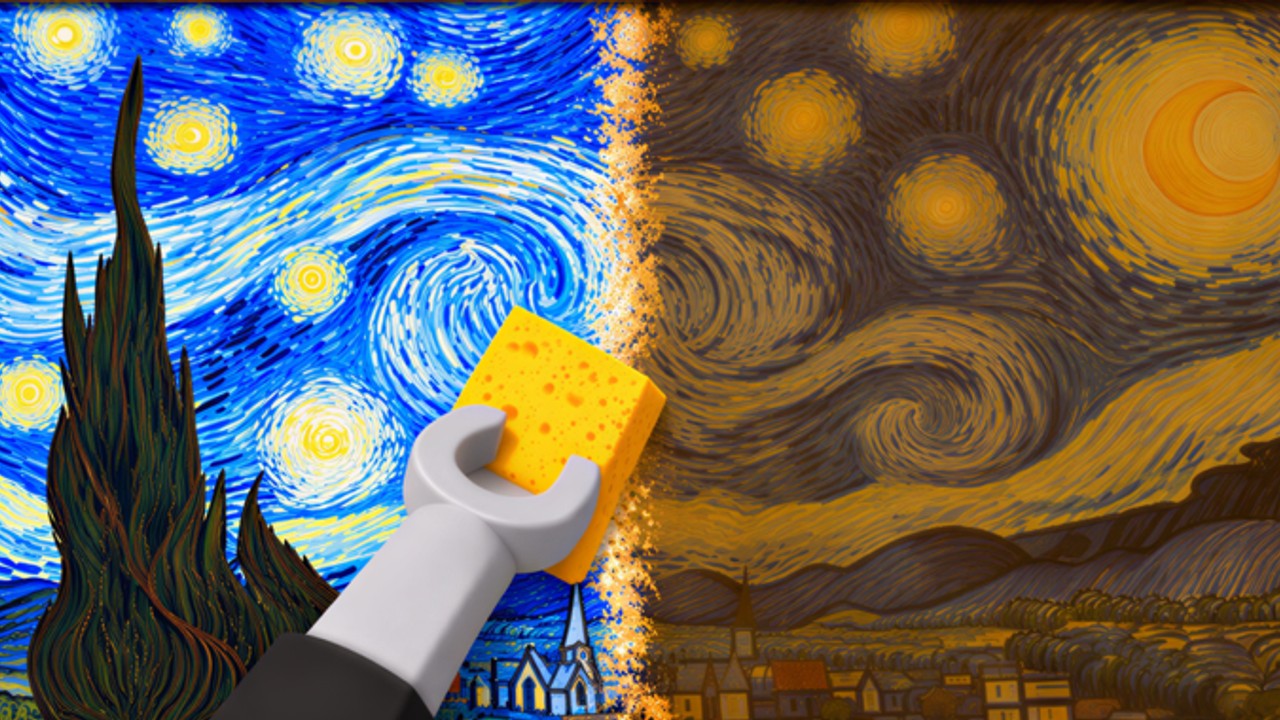
Clean a Painting is a Roblox simulation / tycoon from the AURA NUKE group. You buy neglected art from crates, restore it in a workshop, hang it in a gallery, and earn cash when visitors buy. Servers hold up to 8 players. The place launched on 8 October 2026, passed ~5.4M+ visits with roughly 118k favorites and a ~98.6% like rate by mid-November, and typically sits around a couple thousand concurrent players - but the loop is simple enough that a clear first hour matters more than luck.
This guide walks the three locations, a practical opening plan, and the habits that separate slow starts from smooth ones. Deeper systems live in sibling pages: Restoration Tips, Make Money Fast, the Gallery Guide, and Upgrades & Rewards.
Join the right place
Launch from the official listing: Clean a Painting on Roblox. Confirm the creator shows AURA NUKE. Optionally join the AURA NUKE community (~182k members) for shouts, group chest rewards, and community-reported admin party pings.
You do not need Robux to begin. Promo codes are still not active as of 16 November 2026 - do not stall waiting for one.
The three locations
Every painting follows the same path:
1. Crates
Crates are where you spend cash (or starter funds) to acquire dirty paintings. Early crates are cheaper and lower ceiling; later crates cost more but feed better sale potential after a good restore. Buy only what you can actually clean soon - stockpiling filthy art without workshop time just clogs inventory.
2. Workshop
The workshop is where value is created. Dust, grime, and varnish problems come off through cleaning actions. Thorough work sells for more. Rushing a “good enough” scrub caps the painting forever, even if you later unlock a fancy gallery wall. Treat the workshop as the skill check of the game.
3. Gallery
Restored pieces go on display. Visitors arrive, evaluate what they see, and buy. Empty hooks earn nothing. After a sale, clear the slot and hang the next finished work. Upgrades here improve throughput and presentation over time - priorities are ranked on the Tier List and explained in the Upgrades Guide.
First-hour checklist
- Orient. Walk Crates - Workshop - Gallery once without buying so the path is muscle memory. Skim Controls if prompts feel awkward on your device.
- Buy one affordable crate painting. Do not blow the entire starter bank on the flashiest crate.
- Restore carefully. Slow down on the first piece. Watch how cleanliness changes the look of the canvas.
- Hang it immediately. A finished painting in your inventory is dormant cash.
- Start the second piece while the first sells. This is the dual-painting habit explained fully in Make Money Fast.
- Collect the sale, reinvest. Prefer the next crate tier you can restore well, not vanity spending.
- Claim easy rewards. Offline earnings, painting index milestones, and the group chest sit beside the loop - see Upgrades & Rewards.
- Note HUD buttons. Shop, upgrades, and (someday) Codes live here - see How to Redeem Codes for the future flow.
If you only remember one tip from this page: never leave the gallery empty while you AFK in crates.
Basic overview video
The embed below is a real YouTube basic overview by MBT. Watch it mid-session if you want a second explanation of the loop after you have walked the three rooms yourself. It is an orientation aid, not a substitute for hanging your first careful restore.
Curiosity elsewhere (not a money method)
Some players explore out-of-bounds or admin-only spaces for fun. That content lives on Secrets & Hidden Areas with a dedicated glitch video and clear warnings. It is not progression, not a code source, and not required reading for your first hour.
Common beginner mistakes
- Speed-cleaning everything. Faster is not richer if quality tanks the sale.
- One painting at a time with long idle gaps. Always try to have a seller up while you restore.
- Ignoring sold slots. Remove completed sales so new art can hang.
- Skipping index, offline, and chest claims. Free progress left unclaimed is still a loss (Upgrades).
- Chasing scripts on day one. Learn the loop manually; if you still want automation later, read Scripts and only test on an alt via CM Hub.
- Believing random code lists. Check Codes - the active table is empty until AURA NUKE ships strings.
What to read next
- Workshop mastery - Restoration Tips
- Cash per minute - Make Money Fast
- Display and visitors - Gallery Guide
- Spend and claims - Upgrades & Rewards
- Spend order ranks - Tier List Hub
- Inputs - Controls
- Patch and party awareness - Updates, Admin Parties
Finish one careful painting, hang it, and start the next before you optimize anything else. That single habit carries you from the tutorial feel into a real tycoon rhythm.
Frequently Asked Questions
Quick answers about crates, restoration, and the gallery.
What is the core loop in Clean a Painting?
Buy old paintings from crates, restore them in the workshop, display them in the gallery, collect visitor cash, and buy better crates.
Does cleaning quality really change the sale price?
Yes. Thorough restoration earns higher evaluations from gallery visitors than a rushed scrub.
How many players can join one server?
Up to 8 players per server.
Should I wait for codes before playing?
No. There are still no active codes as of 16 November 2026. Start the crate-workshop-gallery loop immediately.
What should I do while a painting is selling?
Restore the next painting in the workshop so the gallery never stays empty for long.
Where did the admin-area glitch video go?
Curiosity glitches and warnings now live on the Secrets guide. This page focuses on the basic overview and your first-hour plan.