Clean a Painting Upgrades, Index Rewards & Passive Cash
Spend priorities, painting index milestones, offline earnings, and the group chest.
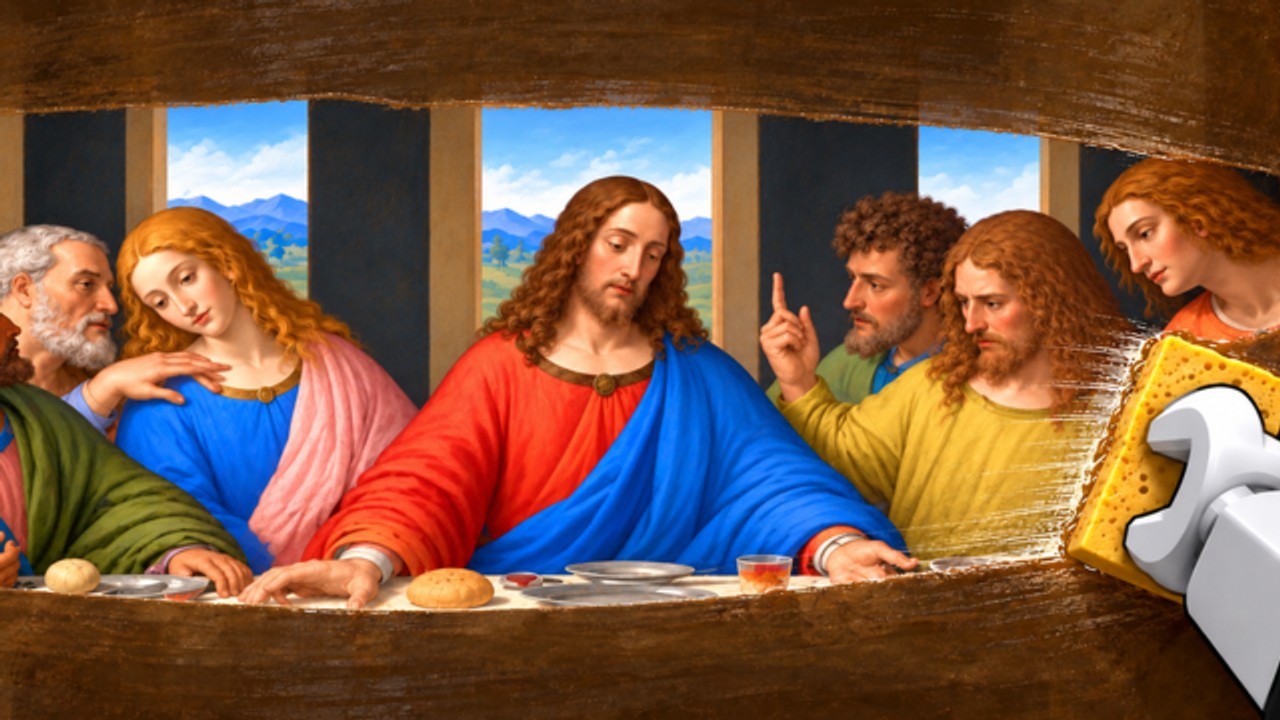
Cash you earn in Clean a Painting only matters when you put it back to work. After crates, workshop restores, and gallery sales click, the next skill is knowing what to buy, what to claim, and what to ignore for an hour. This guide covers gallery upgrades, painting index rewards, offline earnings, and the AURA NUKE group chest - the passive and semi-passive systems that sit beside the main loop.
For ranked spend order, keep the Tier List Hub open while you read. For how sales actually land, pair this page with the Gallery Guide and Make Money Fast.
How upgrades fit the three-location loop
Nothing here replaces crates, workshop, or gallery. Upgrades and reward claims amplify that triangle:
- Better gallery throughput turns finished art into cash sooner.
- Index milestones pay you for exploring more paintings over time.
- Offline earnings reward short breaks without forcing you to babysit empty walls.
- Group chest cash is a membership perk - free if you already joined AURA NUKE.
If your walls are empty, do not open the upgrade shop. Hang something first (Getting Started). Upgrades on a dead gallery just move numbers while visitors see nothing.
Gallery upgrades - what they are for
Gallery upgrades generally improve how many pieces you can show, how smoothly visitors buy, or how polished the floor feels. Exact button labels can shift after patches (Updates), so treat in-game tooltips as the final names.
Practical rules:
- Buy the upgrade that fixes your real bottleneck. Too few slots? Slot unlocks beat cosmetic frames. Slow turnover with full walls? Throughput upgrades beat vanity.
- Do not auto-spend your entire bank. Leave enough cash for the next crate you can restore well. Crate starvation after a shopping spree is a common mid-game stall.
- Re-check after every sale streak. One strong evening can fund a breakpoint upgrade; one weak evening should fund inventory instead.
If you use automation, Auto Buy Gallery Upgrades in CM Hub will happily drain you. Leave that toggle off until you have memorized the Tier List priorities and watched one manual spend cycle.
Spend priority framework (cross-link the tier list)
Use this decision tree before every purchase:
- Is at least one restored painting on a wall? If no, hang first.
- Can you afford the next crate tier you can clean thoroughly? If yes and your gallery is already functional, crates often beat luxury upgrades.
- Is a gallery upgrade unlocking a concrete capacity jump (extra slot, clear visitor bottleneck)? Buy it.
- Is the upgrade mostly cosmetic? Save it for surplus cash after a good dual-pipeline session.
- Unsure? Open the Tier List and pick the highest rank you can actually afford without emptying the bank.
Workshop comfort tools belong in the same conversation: if scrubbing feels miserable, a small quality-of-life buy can raise sale prices more than a flashy wall. Quality still rules - see Restoration Tips.
Painting index rewards
The painting index tracks progress across pieces you have discovered, restored, or catalogued (exact UI wording may vary). Hitting milestones grants claimable rewards. Players forget this panel for days, then wonder why friends pulled ahead on “the same crates.”
Habits that work:
- Open the index once per session after your first sale.
- Claim everything ready before you buy a new crate.
- Treat index rewards as bonus crate fuel, not an excuse to idle.
Script hubs expose Auto Claim Painting Index Rewards for a reason - it is easy to miss manually. If you refuse scripts, put “claim index” on the same checklist as “collect offline” and “hang finished inventory” (Players and Controls).
Index progress still depends on playing the real loop. You cannot claim what you never restored. Depth in the workshop and variety from crates feed the index; upgrades alone do not fill it.
Offline earnings
Offline earnings pay out progress or cash accumulated while you were away. When you rejoin:
- Collect offline earnings immediately.
- Audit gallery walls - hang finished stock before shopping.
- Claim group chest and index rewards if ready.
- Resume dual pipeline: restore while something sells.
Skipping the collect step is free money left on the table. It is the same class of mistake as leaving a sold slot uncleared. Autofarms list Auto Collect Offline Earnings near the top of safe toggles for that reason; manual players just need a spawn ritual.
Offline pay does not replace hanging art. If you log off with empty walls and unfinished inventory, do not expect miracles. End sessions with something displayed whenever you can (Gallery Guide).
Group chest (AURA NUKE membership)
Join the official AURA NUKE community (~182k members as of mid-November 2026) so group-linked rewards can unlock. The group chest is a recurring claim for members - free soft currency or related perks when available.
Tips:
- Join the group on the account you actually play.
- Claim the chest at the start of sessions, not “sometime later.”
- Watch community shouts for chest changes, admin parties, and rare promo news (Admin Parties, Codes).
CM Hub can Auto Claim Group Chest; that does not mean you should skip joining. Without membership the claim fails. Links and verification live on the Links Hub.
Dual pipeline still beats shopping addiction
Upgrades feel powerful because buttons light up. The quieter skill - keeping workshop and gallery both busy - still prints more cash per hour for most players. A mid-tier gallery with perfect dual threading outruns a maxed floor you starve by overspending.
Session template:
- Claim offline + chest + index.
- Fill empty walls.
- Restore while sales run.
- Spend only after a clear bottleneck check against the tier list.
- Log off with art hanging.
Common upgrade mistakes
- Buying cosmetics before a second display slot
- Enabling unsupervised auto-buy on a main account
- Ignoring index and chest for a whole week
- Dumping offline cash into one vanity crate you cannot clean well
- Reading secrets or glitch clips instead of fixing empty walls (Secrets is curiosity only)
Related pages
- Tier List Hub - ranked spends
- Gallery Guide - hang and sell flow
- Make Money Fast - dual pipeline
- CM Hub Script - auto claim / auto buy toggles (alt only)
- Updates Hub - patch timing that can retune prices
Spend like a restorer, not like a tourist in the shop. Claim what is free, buy what unblocks capacity, and keep paint moving through the workshop.
Frequently Asked Questions
Quick answers about crates, restoration, and the gallery.
What should I buy first in Clean a Painting?
Fix real bottlenecks: empty walls first, then crate tiers you can restore well, then gallery upgrades that add slots or throughput. Use the Tier List for ranked order.
What are painting index rewards?
Milestone claims tied to your painting index progress. Open the index each session and claim ready rewards before big spends.
How do offline earnings work?
They accumulate while you are away. Collect them as soon as you rejoin, then hang finished inventory and restart the dual pipeline.
Do I need to join AURA NUKE for the group chest?
Yes. Join the official AURA NUKE community on the account you play, then claim the chest in-game when it is available.
Should I turn on Auto Buy Gallery Upgrades?
Not until you know Tier List priorities. Unsupervised buying can empty cash you needed for the next good crate. Prefer an alt if you experiment with CM Hub.
Do upgrades replace restoration quality?
No. Thorough cleaning still drives sale price. Upgrades amplify a healthy loop; they cannot rescue rushed scrubs.